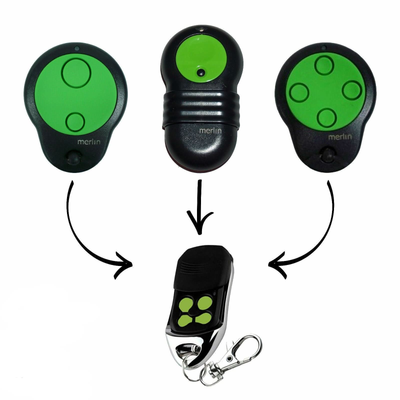

How to Program a Merlin M842 / M832 / M844 Compatible Garage Remote
Pair a compatible Merlin M842, M832 or M844 remote in about five minutes: locate the Learn button on your opener, hold it for 1 to 2 seconds, press the remote button twice and test.
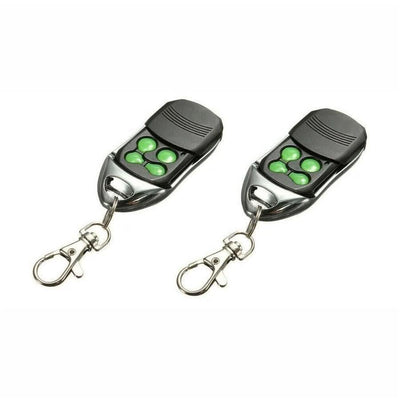
- The new compatible remote with its battery fitted
- Access to the Learn button on the Merlin opener or receiver
- Step ladder if the opener is ceiling mounted
Merlin openers store a new remote through a Learn button. It sits in a different spot on each style of opener, so steps 1 and 2 walk through where to look. After that it is one hold and two presses.
Applies to
Compatible replacement remotes for the Merlin M842, M832 and M844 handsets used with Merlin garage door openers, including Prolift 230T and 430R, and compatible gate receivers.
Before you start
Identify your opener type so you know which cover to remove. Have the remote ready before you press Learn.
Independent programming guide for compatible replacement remotes. Brand and model names belong to their respective owners.
Step-by-step instructions
Find the Learn button on your opener
Overhead openers with five exposed terminal screws: remove the small black cover to the right of the screws; the red button under it is Learn. Roller door openers with a small square red button: remove the lamp cover and the small black cover left of the lamp holder; the red button under it is Learn. Openers with a Merlin wired wall switch: the small button on the wall switch is Learn.
Other openers and receivers
Openers with a large red or green push switch: remove that control panel cover and find the button marked Learn. Dark grey boxed receivers with a big round green button: Learn is the small dark grey button inside the green one. Gate receiver cards: Learn is the small tact switch on the board marked Learn.
Hold Learn for 1 to 2 seconds
Press and hold the Learn button for 1 to 2 seconds, then release. The opener is now listening for a remote.
Press the remote button twice
Press the button on the new remote that you want to operate the door two times. The opener stores the code.
Test the remote
Press the programmed button once. The door should move. Repeat from step 3 for any additional remotes.