

How to Program a Steel-Line ZT-07 Compatible Remote to an SD800 / SD1200 / Sprint 800 Motor
Pair a compatible Steel-Line ZT-07 remote to an SD800, SD1200 or Sprint 800 motor: hold P and +, press +, press the remote twice, then press P until LED 3 lights.
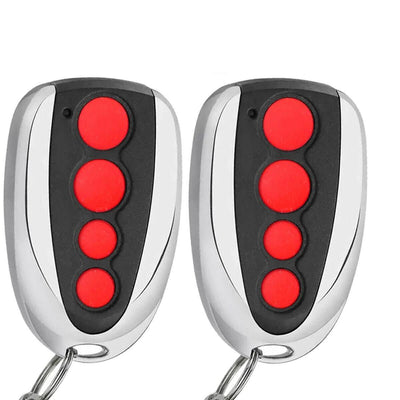
- The new compatible remote with its battery fitted
- Access to the P and + buttons and the LED row on the motor
Steel-Line SD800-series motors are programmed with the P and + buttons and a row of numbered LEDs. LED 7 flashes when you are in setup and LED 3 confirms a remote has been saved.
Applies to
Compatible 433.92 MHz replacement remotes for the Steel-Line ZT-07 handset used with SD800, SD1200 and Sprint 800 garage door openers.
Before you start
Find the P and + buttons and the LED row on the motor. Stand where you can see the LEDs while you press the remote.
Independent programming guide for compatible replacement remotes. Brand and model names belong to their respective owners.
Step-by-step instructions
Enter setup
Press and hold the P and + buttons on the motor until all the LEDs come on and LED 7 starts flashing.
Select remote learning
Press the + button once. All LEDs turn off except one, showing the motor is ready to learn a remote.
Press the new remote twice
Quickly press and release the button you want to use on the new remote, twice. All LEDs come on and LED 7 begins flashing.
Save
Press P once on the motor to save. LED 3 lights to confirm the remote has been programmed.
Test and repeat
Press the remote to test the door. Repeat the procedure for any additional handsets.
![[3 Pack] TAVICE Garage Door Remote 433.92MHz for Steel - Line ZT - 07 SD800 - Battery Mate](http://www.batterymate.com.au/cdn/shop/files/3-pack-tavice-garage-door-remote-43392mhz-for-steel-line-zt-07-sd800-336404.jpg?v=1779404972&width=400)