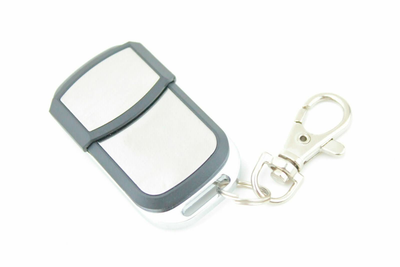

How to Program an Mhouse / MyHouse TX4, TX3, GTX4 Compatible Gate Remote
Pair a compatible Mhouse / MyHouse TX4, TX3 or GTX4 remote: open the motor cover, hold P1 until the red light comes on, then hold a remote button twice until the light flashes.
- The new compatible remote with its battery fitted
- Screwdriver to remove the screw on the side of the motor cover
Mhouse gate motors learn remotes through the P1 button under the motor cover. Once the red light is on, each new remote needs two 2-second presses of the same button.
Applies to
Compatible 433.92 MHz replacement remotes for the Mhouse / MyHouse TX4, TX3 and GTX4 handsets used with Mhouse gate and garage door motors.
Before you start
Switch the motor power off before removing the cover, then switch it back on for programming. Keep the remote in your hand, since you have a 10-second window between presses.
Independent programming guide for compatible replacement remotes. Brand and model names belong to their respective owners.
Step-by-step instructions
Open the motor cover
Undo the screw on the side of the Mhouse motor and carefully slide the cover up to expose the control buttons.
Hold P1 for 3 seconds
Press and hold button P1, the first button at the top, for about 3 seconds until the red light on the motor comes on.
Hold a button on the new remote
Within 10 seconds, press and hold any button on the new remote for about 2 seconds until the red light on the motor flashes.
Confirm with the same button
Within 10 seconds, press and hold the same remote button again for about 2 seconds until the red light flashes a second time.
Finish and test
When you have finished coding all remotes, the red light goes out. Press the remote to test, then slide the cover back down and refit the screw.